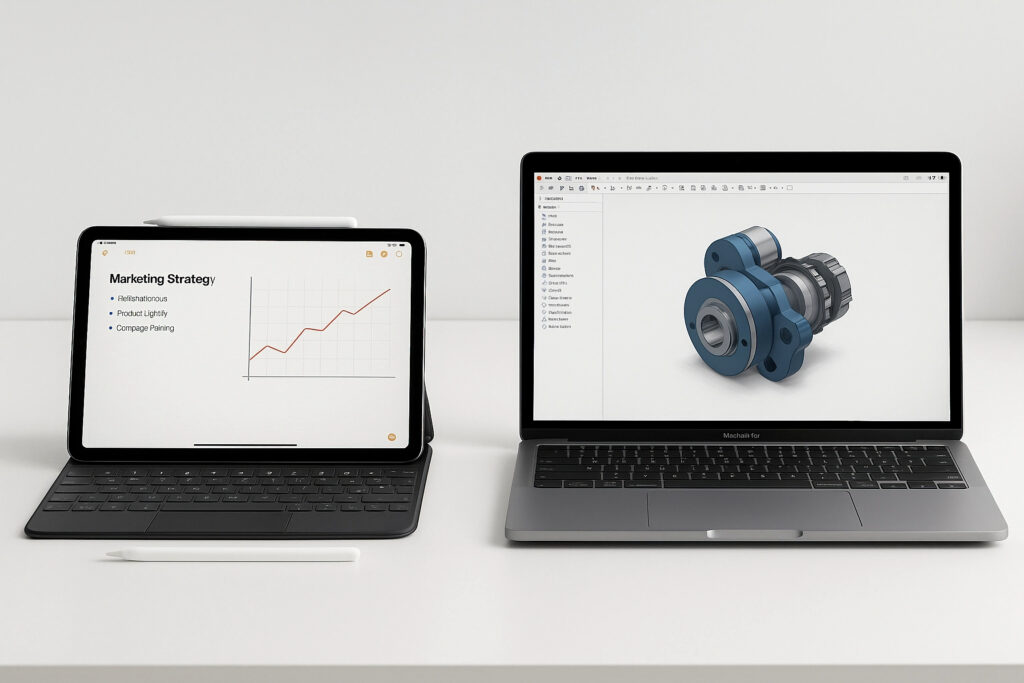
Choosing between an iPad or a MacBook is not as simple as it seems. In 2025, both devices have evolved so much that the decision depends less on hardware and more on how you work, where you work and what you expect from your technology.
Key differences between iPad and MacBook
- Operating system: iPad uses iPadOS, more touch-oriented and flexible; MacBook runs macOS, a more robust system for multitasking and professional software.
- Power and performance: MacBooks with M3 Pro chip outperform iPads in processing, although iPad Pro has made a great leap with M4.
- Interface: iPad is touch by nature, ideal for design, notes and reading. MacBook relies on traditional keyboard and trackpad, more comfortable for intensive writing and advanced editing.
- Price: Although some models have similar costs, MacBook tends to be more expensive, especially in versions with more RAM or storage.
How to choose according to your professional profile
- Creative professionals (designers, illustrators, architects): iPad Pro with Apple Pencil offers a unique experience for drawing, photo retouching or quick annotations.
- Developers, analysts and technical content creators: MacBook is the best option, with native support for software like Xcode, Final Cut Pro or complete programming environments.
- Managers, teachers or mobile sales staff: An iPad Air with keyboard can be perfect for mobility and light tasks.
- Businesses: If evaluating which to choose for your team, MacBook offers better compatibility with Apple enterprise solutions, MDM and advanced collaborative tools.
iPad with Magic Keyboard vs MacBook: how close are they?
With the Magic Keyboard, iPad transforms into a laptop in appearance… but not entirely in functionality.
- iPad + keyboard strengths: laptop-like experience, ideal for writing emails, taking notes or browsing comfortably.
- Limitations: still unable to run some desktop applications or handle multiple external displays like a MacBook.
If you want versatility and occasionally work like on a laptop, iPad with Magic Keyboard is ideal. For intensive workloads, MacBook still reigns.
Synchronisation within the Apple ecosystem
- Both devices integrate with iPhone, Apple Watch and AirPods.
- Handoff, AirDrop and iCloud work fluidly on both.
- However, macOS offers more file control, multiple desktops and complex workflows, ideal for those already immersed in Apple for business.
Expert tips for deciding
- Evaluate your daily workflow: do you edit video, make calls, manage projects or draft documents?
- Consider scalability: will your team or company grow in the next 6-12 months? Invest in a device that scales with you.
- Try it before deciding: visiting an Apple Store or authorised reseller can help you notice key experience differences.
- Think about your work environment: are you always on the move or do you need a fixed workstation?
The iPad vs MacBook debate has no single answer. Everything depends on your style, your tasks and your environment. The important thing is to choose a device that makes you more productive, accompanies you at every step and adapts to your professional evolution. If you are not sure Contact us